

On this page
If you are new to WhatsApp mods, the number of names can be confusing. Many of them have similar names, similar features and even similar settings menus. That is not a coincidence: several mods came from the same few development teams and share a common codebase.
What has changed recently is how many of them are still alive. When our team checked each developer's own channel in September 2026, only three popular mods were still being updated: WhatsApp Plus and GBWhatsApp by AlexMods, and OBWhatsApp by Omar Al-Annabi. FMWhatsApp, YoWhatsApp, WhatsApp Aero, the transparent builds and AB WhatsApp are discontinued, and Abo2sadam's WhatsApp Plus is now paid. This page compares the three active options and gives you the status of the rest.
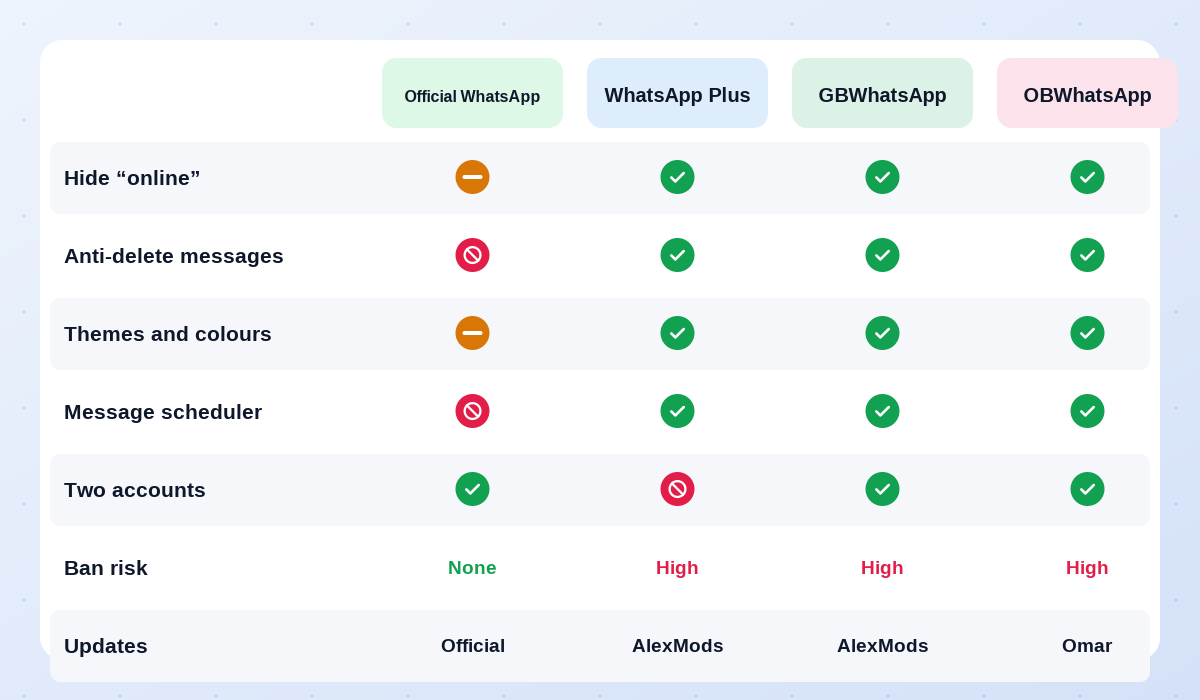
The contenders at a glance
- WhatsApp Plus (18.80): the classic with the blue look, released today by AlexMods. Clean, well organised and the easiest place to start.
- GBWhatsApp (18.80): the GBWhatsApp Pro builds from the same developer and release train, with the deepest settings and dual-account options.
- OBWhatsApp (71): WhatsApp Omar by Omar Al-Annabi, still updated in 2026, with numbered builds for several accounts and a strong Arabic interface.
The table below shows what you can typically expect. Mods add, move and remove options between releases, so treat it as a general guide rather than a promise for every version.
Big comparison table
| Feature | WhatsApp Plus | GBWhatsApp | OBWhatsApp |
|---|---|---|---|
| Status in 2026 | Active | Active | Active |
| Developer | AlexMods | AlexMods | Omar Al-Annabi |
| Latest version | 18.80 | 18.80 | 71 |
| Default look | Blue | Classic green | Colour variants (blue, pink…) |
| Hide online status | ✔ | ✔ | ✔ |
| Hide blue ticks | ✔ | ✔ | ✔ |
| Hide typing / recording | ✔ | ✔ | Varies |
| Anti-delete messages | ✔ | ✔ | ✔ |
| Anti-delete statuses | ✔ | ✔ | ✔ |
| Download statuses | ✔ | ✔ | Varies |
| Built-in theme store | ✔ | ✔ (very large) | ✔ |
| Custom fonts | ✔ | ✔ | Varies |
| DND mode (no internet for WhatsApp) | ✔ | ✔ | Varies |
| Auto-reply | Varies | ✔ | Varies |
| Message scheduler | Varies | ✔ | Varies |
| Several accounts on one phone | Varies | ✔ | ✔ (OB2, OB3 builds) |
| App lock | ✔ | ✔ | ✔ |
| Send large files | ✔ | ✔ | ✔ |
| Arabic interface | ✔ | ✔ | ✔ (a highlight) |
| Claimed anti-ban | ✔ | ✔ | Varies |
| On Google Play | ✘ | ✘ | ✘ |
| Affiliated with WhatsApp/Meta | ✘ | ✘ | ✘ |
These mods share a common heritage and borrow features from each other. The real differences are in design, update frequency, multi-account support, stability on your specific phone and the extras each developer adds.
Per-app summary
WhatsApp Plus
WhatsApp Plus is the name most people know and the easiest place to start. The blue build has a clean layout, a well-organised Plus settings menu and all the core privacy and customisation options, without feeling overloaded. The latest version published by AlexMods is 18.80; some websites advertise higher numbers that the developer never released, so double-check before you download. If you want to change its look, our WhatsApp Plus colours guide shows how.
GBWhatsApp
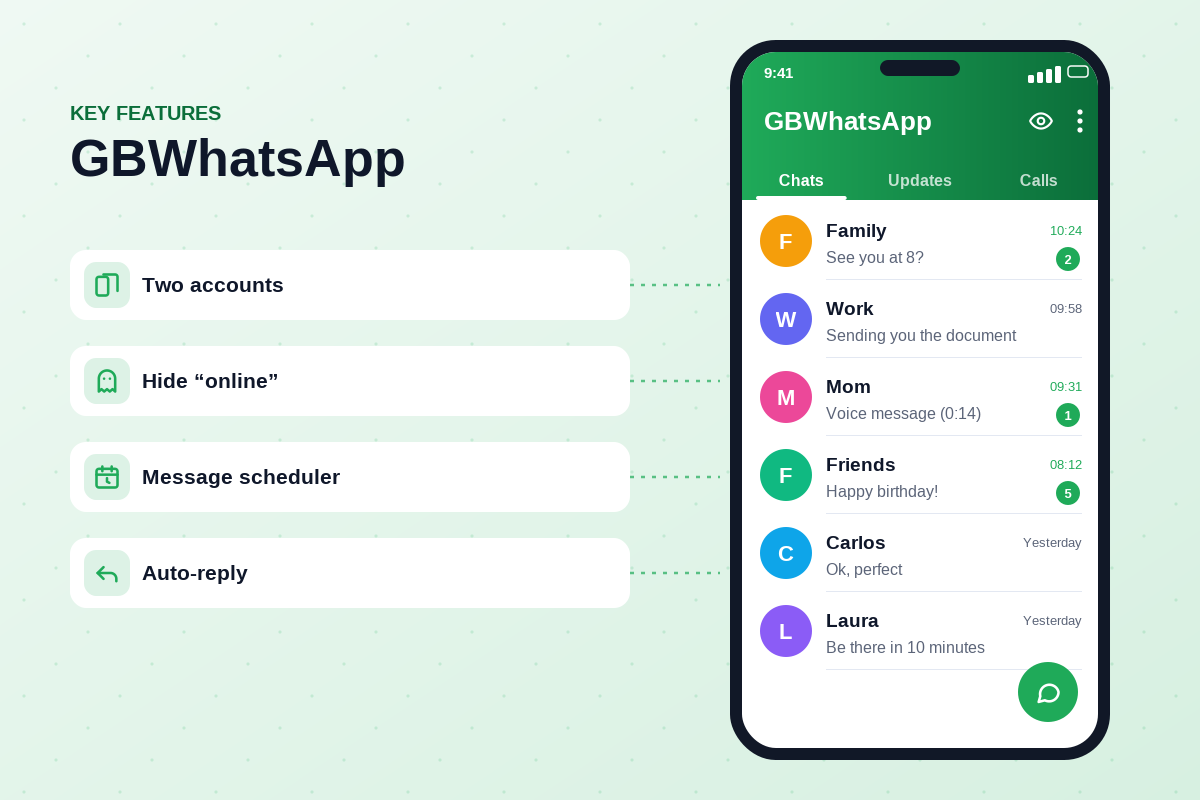
GBWhatsApp is the feature king. The Pro builds by AlexMods typically pack extras like auto-reply, a message scheduler and easy dual-account support, and the settings go very deep. The downside is that the menus can feel overwhelming at first. AlexMods also warns that recent builds cannot be used with numbers that are already banned, so a banned number will not come back to life by switching to GB.
OBWhatsApp (WhatsApp Omar)
OBWhatsApp by Omar Al-Annabi is the practical choice for people who juggle several numbers. It is released in numbered builds (OBWhatsApp, OB2, OB3) with different package names, so they can run side by side. It is especially popular in Arabic-speaking countries thanks to its careful translation and its blue and pink colour variants, and it is still being updated in 2026.
Which one should you choose?
| If you are… | Our pick | Why |
|---|---|---|
| New to mods | WhatsApp Plus | Simple, familiar and well organised |
| A power user who wants every feature | GBWhatsApp | Most extras, deep settings |
| All about themes (a former FMWhatsApp fan) | GBWhatsApp | Large theme library and detailed appearance menus |
| Managing two or three numbers | OBWhatsApp or GBWhatsApp | OB2/OB3 builds or GB's dual-account options |
| An Arabic speaker | OBWhatsApp | Excellent Arabic translation and right-to-left layout |
| In love with the iPhone look | WhatsApp Plus or GBWhatsApp with an iOS-style theme | Aero is discontinued |
| Not willing to risk your main number | Official WhatsApp | No ban risk, Google Drive backups |
Whatever you pick, the same rules apply: download from a trusted source, keep the app updated, use a secondary number if you can and keep a local backup of your chats.
Discontinued and paid mods: current status
Several mods that used to appear in every comparison are no longer maintained. We keep status pages for each of them so you know what happened, why "new" downloads under their names are risky and how to move your chats to an active mod.
| Mod | Status | What happened | Use instead |
|---|---|---|---|
| FMWhatsApp | Discontinued | No new build since 10.10; Fouad Mods' channel is no longer accessible | GBWhatsApp |
| YoWhatsApp | Discontinued | No new build since 10.10 | GBWhatsApp |
| WhatsApp Aero | Discontinued | The developer removed all Aero apps and deleted the source code | WhatsApp Plus |
| WhatsApp Transparent | Discontinued | Third-party builds on bases that are no longer maintained | GBWhatsApp with themes |
| AB WhatsApp | Discontinued (inactive) | Last version 13.30, January 2026; no updates since | OBWhatsApp |
| WhatsApp Plus Abo2sadam | Paid | Converted to a paid subscription by its developer | WhatsApp Plus |
Pages offering FMWhatsApp 2026, Aero Pro or a free Abo2sadam are distributing old builds, unauthorised clones or cracked copies. None of them comes from the original developer, and they can contain malware or get your number banned.
What about safety?
No mod on this page is approved by WhatsApp, and none is guaranteed to be safe. All of them carry the risk of temporary or permanent account bans, and fake APKs of every one of them circulate online. Choosing a mod that is still maintained reduces some risks, because the WhatsApp base inside it stays current, but it does not remove them.
WhatsApp Plus, GBWhatsApp and OBWhatsApp are not affiliated with WhatsApp LLC or Meta. Their "anti-ban" features are developer claims, and bans still happen. Read our safety guide before installing.
Switching between mods
You can move from one mod to another, but you usually need to back up and restore your chats manually, because each mod may use its own folder and package name. Follow our backup and transfer guide before uninstalling anything, and never uninstall the old app until you have a verified backup. This matters most if you are leaving a discontinued mod, since it may stop opening at any time.
Frequently asked questions
Which is better, WhatsApp Plus or GBWhatsApp?
GBWhatsApp or OBWhatsApp for two numbers?
Is FMWhatsApp still a good choice?
Are FMWhatsApp and YoWhatsApp the same?
Can I install two different mods at the same time?
Which WhatsApp mod is the safest?
Which mod is most like an iPhone?
 WhatsApp PlusActive v18.80The complete guide to WhatsApp Plus APK: latest version download, features, installation, updates, safety, backups and fixes for common problems.View and download →
 GBWhatsAppActive v18.80Everything about GB WhatsApp Pro: latest APK download, features, colour versions, installation, updates, safety, backups and troubleshooting.View and download →
 OBWhatsApp (Omar)Active v71OBWhatsApp by Omar Al-Annabi: numbered builds for multiple accounts, colour versions, features, install steps and safety advice.View and download →
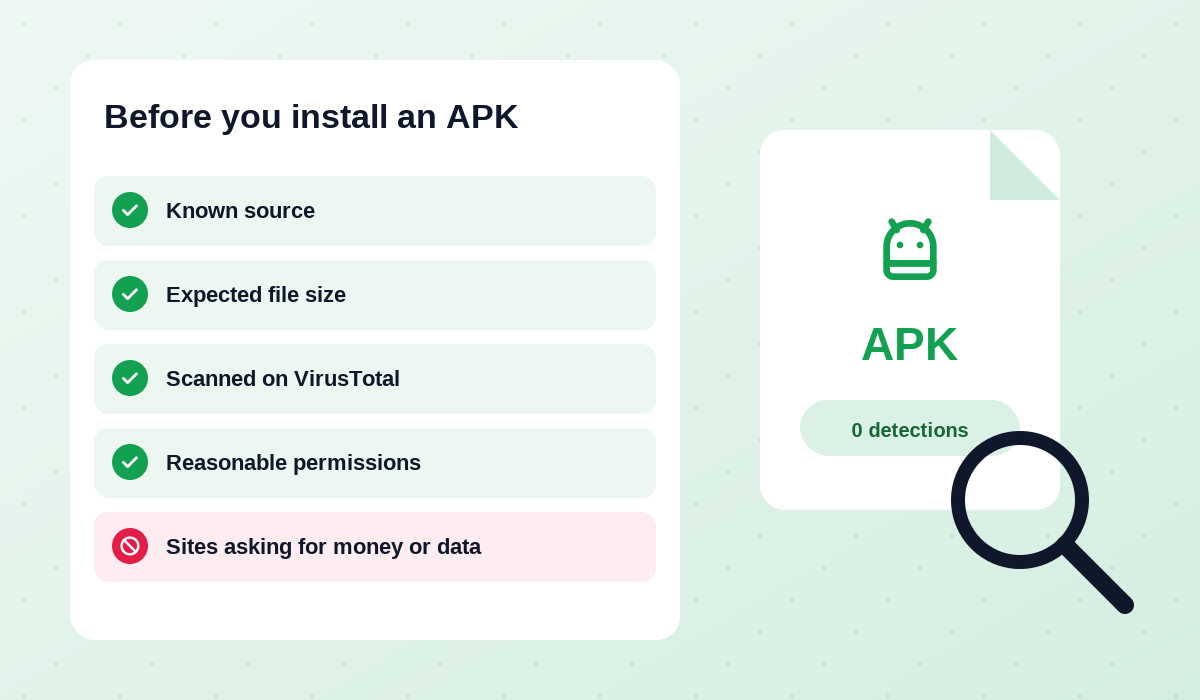 Is It Safe?An honest look at the risks of WhatsApp Plus, GBWhatsApp and discontinued mods like FMWhatsApp, how to check an APK and what to do after a ban.Read guide →
 Backup & RestoreLocal backups, restoring chats, transferring between mods and official WhatsApp, and updating without losing your history.Read guide →
 FMWhatsAppDiscontinued v10.10FMWhatsApp is discontinued: no new builds from Fouad Mods since 10.10. Status, risks of fake APKs and the best active alternatives.View and download →
Final verdict
There is no single best WhatsApp mod for everyone, but the shortlist is now much shorter. WhatsApp Plus is the easiest starting point, GBWhatsApp is best for feature hunters and theme lovers, and OBWhatsApp is the pick for several accounts and Arabic users. FMWhatsApp, YoWhatsApp, Aero, the transparent builds and AB WhatsApp are discontinued, and Abo2sadam is paid. Whichever active mod you choose, the same rules apply: trusted source, regular updates, backups and realistic expectations about bans.