

On this page
Every month thousands of iPhone users search for WhatsApp Plus, GBWhatsApp or "Yo WhatsApp iOS". It is easy to see why: the Android mods offer features like hiding your online status, anti-delete messages and deep customization. Unfortunately, the honest answer is simple: there is no real WhatsApp Plus for iPhone.
In this guide we explain why, what you are actually getting when a site offers an "iOS version", and what you can do instead, whether you want more privacy on your iPhone or an iPhone look on your Android phone.
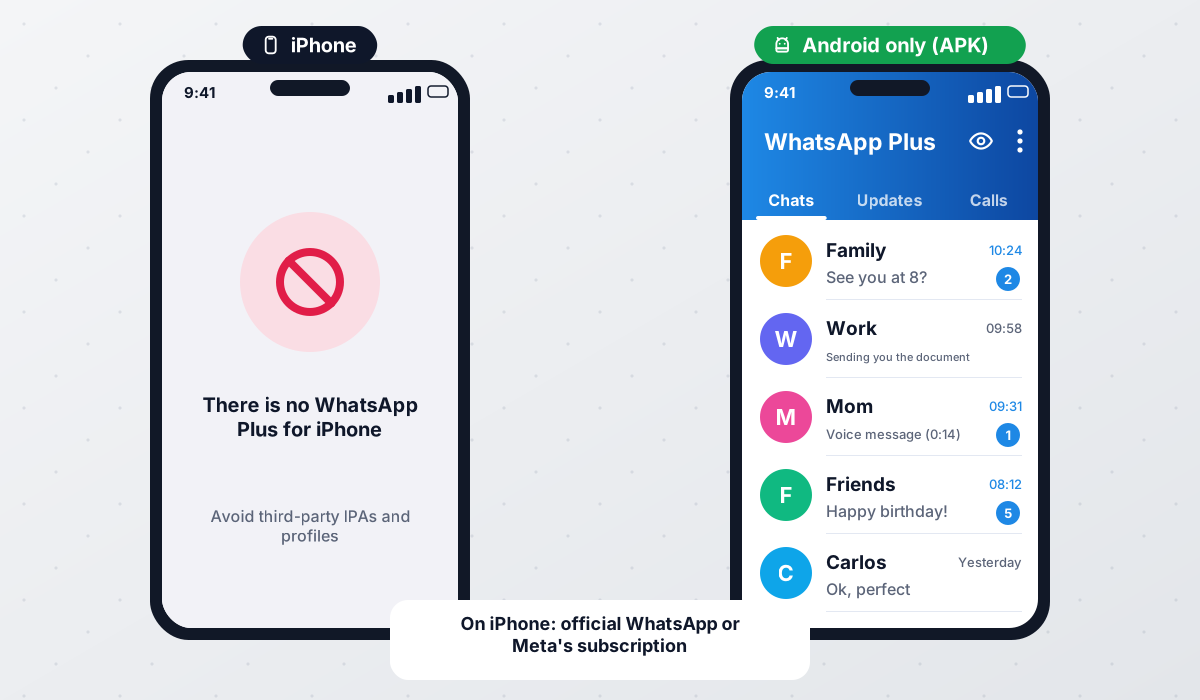
Why there is no WhatsApp Plus for iPhone
WhatsApp Plus, GBWhatsApp, OBWhatsApp and now-discontinued mods such as FMWhatsApp and YoWhatsApp are all built by modifying the Android version of WhatsApp. They are distributed as APK files, which is Android's app package format. iPhones use a completely different system (iOS) and a different package format (IPA), so an APK simply cannot run on an iPhone.
Porting a mod to iOS would mean rebuilding it from scratch on the iOS version of WhatsApp. On top of that, Apple tightly controls which apps can be installed. Apps normally have to come from the App Store, and a modified WhatsApp would never be accepted there. Even in regions where alternative app marketplaces are allowed, apps still go through Apple's notarization, which a WhatsApp clone would not pass.
What are the "iOS versions" you see online?
When a website offers "WhatsApp Plus for iPhone" or "GBWhatsApp IPA", it is usually one of the following:
- An Android mod with an iPhone-style theme. Apps like WhatsApp Aero or YoWhatsApp with iOS themes looked like an iPhone, but they were always Android APKs, and both are now discontinued. Files still offered under those names are old copies or unauthorised clones.
- A sideloaded tweak. Some people inject tweaks into the official iOS WhatsApp and install the result with sideloading tools. This requires technical knowledge, the app can stop working when certificates expire, and it carries the same ban risk as Android mods.
- A scam or survey page. Many pages ask you to "verify" by installing other apps, filling in surveys or installing a configuration profile. These never lead to a working mod and can compromise your device.
- A configuration profile or fake App Store page. Installing an unknown profile can give a third party control over parts of your iPhone. Never install one from a download site.
If a site asks you to install a configuration profile, trust an enterprise developer or complete offers to unlock WhatsApp Plus for iPhone, leave. There is no legitimate iOS build behind those steps, and you may expose your device and personal data.
What official WhatsApp on iPhone already offers
The good news is that official WhatsApp has added many privacy features over the years that used to be mod-only. You can get a lot of what people want from WhatsApp Plus without any risk to your account.
| Feature | Official WhatsApp (iOS) | Android mods |
|---|---|---|
| Hide last seen and online | ✔ (with limits) | ✔ |
| Turn off read receipts | ✔ (both sides) | ✔ (one side) |
| View once media | ✔ | ✔ |
| Chat lock with Face ID | ✔ | ✔ (app lock) |
| Disappearing messages | ✔ | ✔ |
| Dark mode | ✔ | ✔ |
| Full custom themes | ✘ | ✔ |
| Anti-delete messages | ✘ | ✔ |
| Hide typing indicator | ✘ | ✔ |
| Allowed by WhatsApp's terms | ✔ | ✘ |
Privacy settings worth enabling
- Settings → Privacy → Last seen and online: choose who can see them.
- Settings → Privacy → Read receipts: turn them off if you prefer.
- Settings → Privacy → Profile photo and About: limit to your contacts.
- Settings → Privacy → Groups: control who can add you to groups.
- Settings → Account → Two-step verification: add a PIN for extra security.
- Lock individual chats so they need Face ID or your passcode to open.
Want the iPhone look on Android instead?
Many people searching for "WhatsApp Plus iOS" are actually Android users who like the iPhone design. For years the go-to answer was WhatsApp Aero, a mod known for its iOS-inspired interface with bottom navigation and rounded bubbles. However, Aero is discontinued: its developer, Hazar Bozkurt, removed all Aero apps from distribution and deleted the source code, so any Aero download you find today is an unauthorised clone.

Today the practical way to get an iPhone look is an iOS-style theme in an actively maintained mod such as WhatsApp Plus or GBWhatsApp. Theme stores change over time, so search for iOS or iPhone styles after installing. Our themes and wallpapers guide shows how to do it step by step.
- 1Back up your chats
Before installing any mod on Android, make a local backup of your current WhatsApp. See our backup guide.
- 2Install your chosen mod
Install WhatsApp Plus or GBWhatsApp from a trusted source, allowing unknown sources temporarily. Avoid anything sold as Aero: those files are clones, not builds from the developer.
- 3Open the theme store
Go to the mod's settings, open Themes and search for iOS or iPhone.
- 4Apply and restart
Apply the theme you like and restart the app so every screen updates.
- 5Fine-tune
Adjust the bubble style, tick icons and fonts until it looks the way you want.
Can I move chats between iPhone and a WhatsApp mod?
Official WhatsApp offers a transfer tool between iPhone and Android, but it is designed for the official apps. Moving chats from an iPhone directly into an Android mod is not officially supported and often fails. The more reliable route is to transfer to official WhatsApp on Android first, then make a local backup and move to the mod as explained in our backup and restore guide. Even then, results can vary between builds.
Whether you use WhatsApp Plus, GBWhatsApp or any other mod on Android, it is not affiliated with WhatsApp LLC or Meta and can lead to bans. Read our safety guide and consider a secondary number.
Frequently asked questions
Can I install WhatsApp Plus on my iPhone?
Is there a GBWhatsApp for iOS?
What is YoWhatsApp iOS?
Is sideloading a tweaked WhatsApp on iPhone safe?
How can I hide my online status on iPhone?
Which Android mod looks most like an iPhone?
 WhatsApp PlusActive v18.80The complete guide to WhatsApp Plus APK: latest version download, features, installation, updates, safety, backups and fixes for common problems.View and download →
 GBWhatsAppActive v18.80Everything about GB WhatsApp Pro: latest APK download, features, colour versions, installation, updates, safety, backups and troubleshooting.View and download →
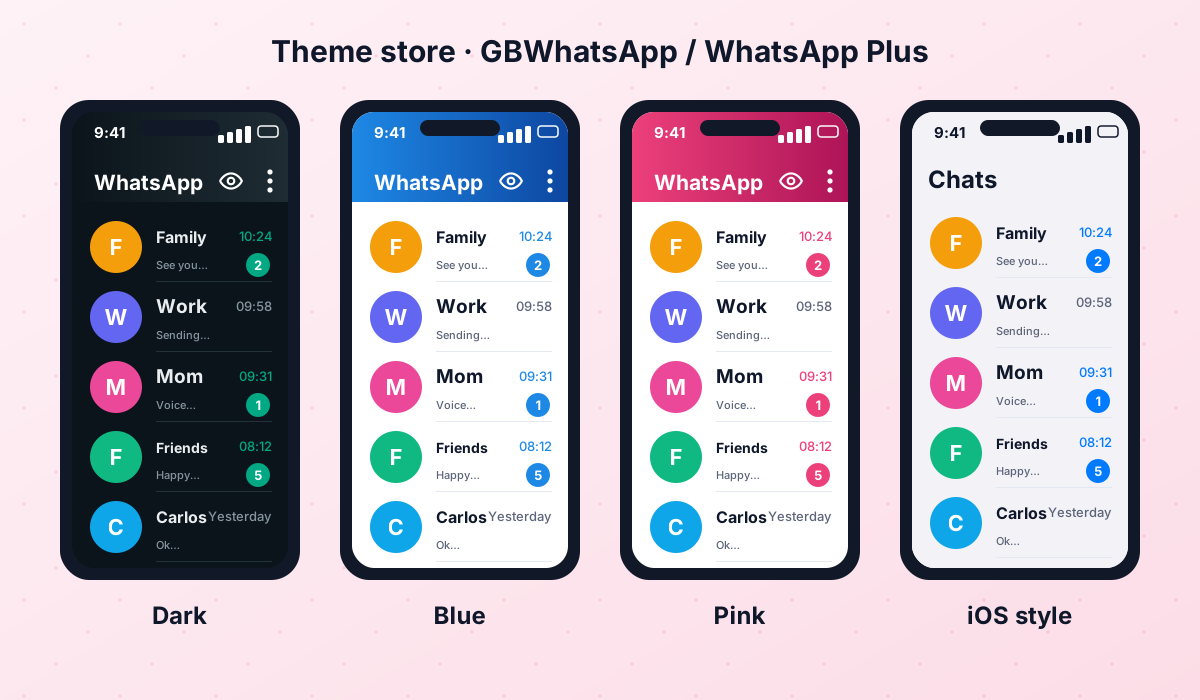 Themes & WallpapersHow to apply, import and create themes in GBWhatsApp and WhatsApp Plus, reuse old FM/Yo theme files, plus tips for wallpapers and dark themes.Read guide →
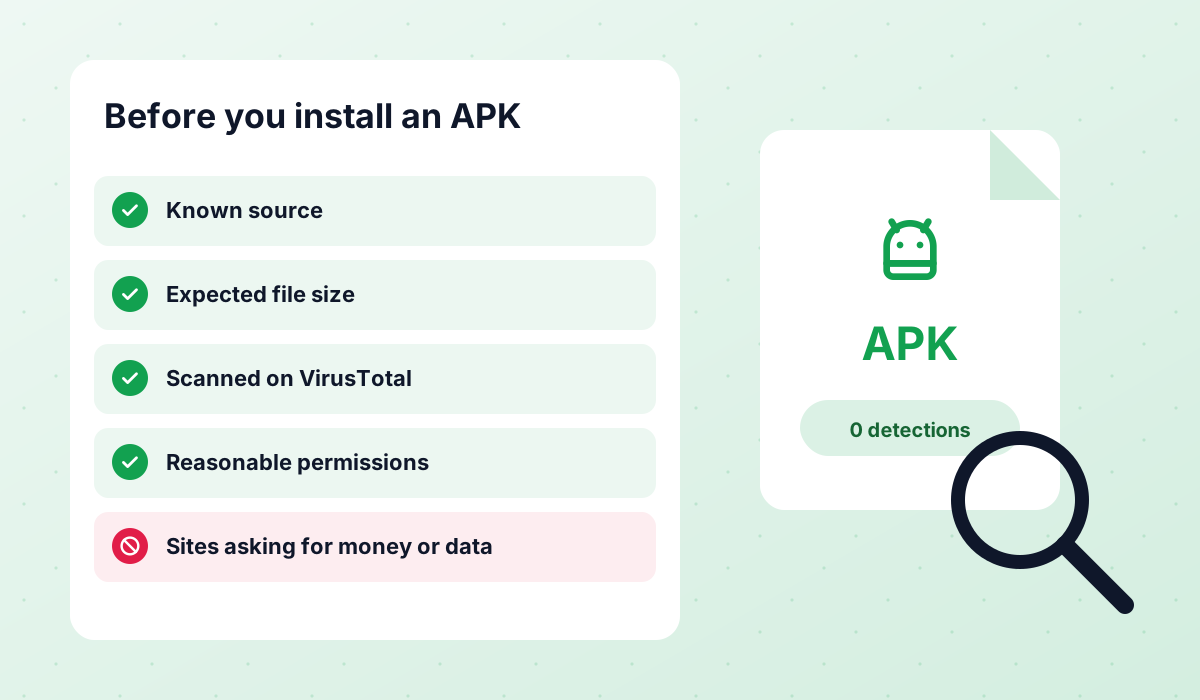 Is It Safe?An honest look at the risks of WhatsApp Plus, GBWhatsApp and discontinued mods like FMWhatsApp, how to check an APK and what to do after a ban.Read guide →
 WhatsApp AeroDiscontinuedWhatsApp Aero is discontinued: its developer removed all Aero apps and deleted the source. Why Aero APKs today are clones and what to use instead.View and download →
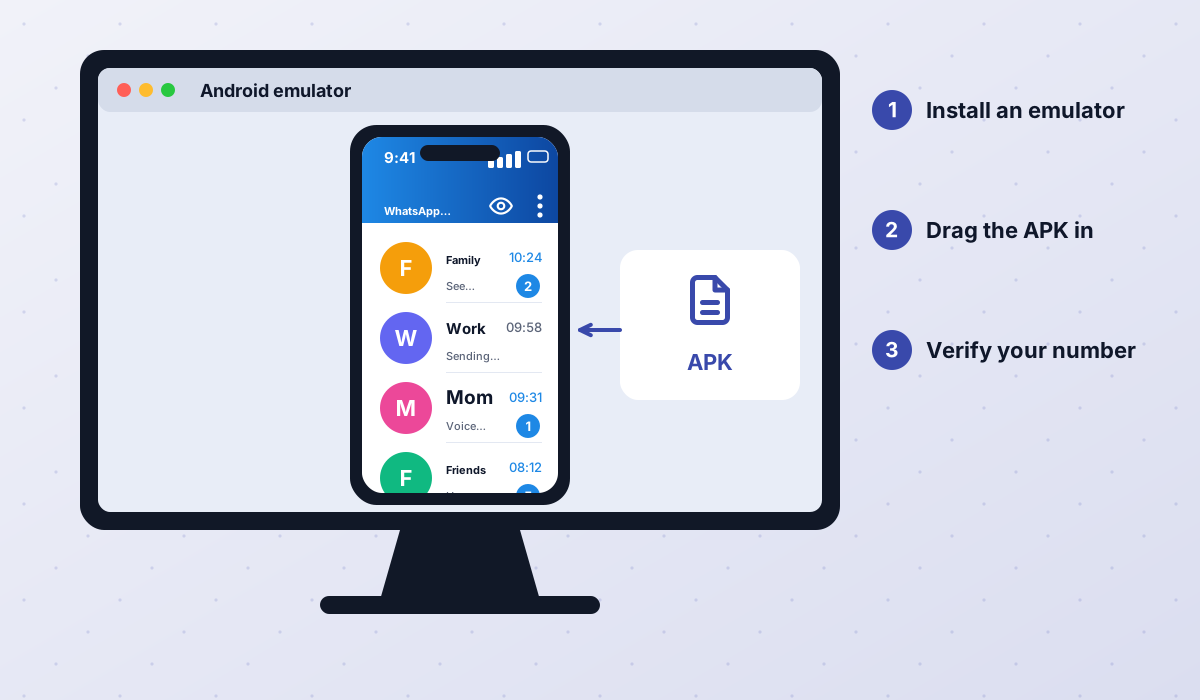 WhatsApp Plus PCRun WhatsApp Plus or GBWhatsApp on Windows or Mac through an Android emulator, with step-by-step instructions and honest limitations.Read guide →
Conclusion
There is no real WhatsApp Plus for iPhone, and any site claiming otherwise should be treated with caution. iPhone users get the safest result by using official WhatsApp's growing list of privacy features. If you are on Android and simply love the iPhone look, an iOS-style theme in an actively maintained mod such as WhatsApp Plus or GBWhatsApp will give you that style (Aero itself is discontinued), as long as you accept the usual risks of unofficial apps.