

On this page
- What is WhatsApp Omar (OBWhatsApp)?
- OB1, OB2, OB3: what the numbers mean
- WhatsApp Omar colours: blue, pink and more
- WhatsApp Omar features
- How to install WhatsApp Omar
- How to update WhatsApp Omar
- WhatsApp Omar old versions
- Pros and cons of OBWhatsApp
- Is WhatsApp Omar safe?
- WhatsApp Omar FAQ
- Related mods
- Our verdict
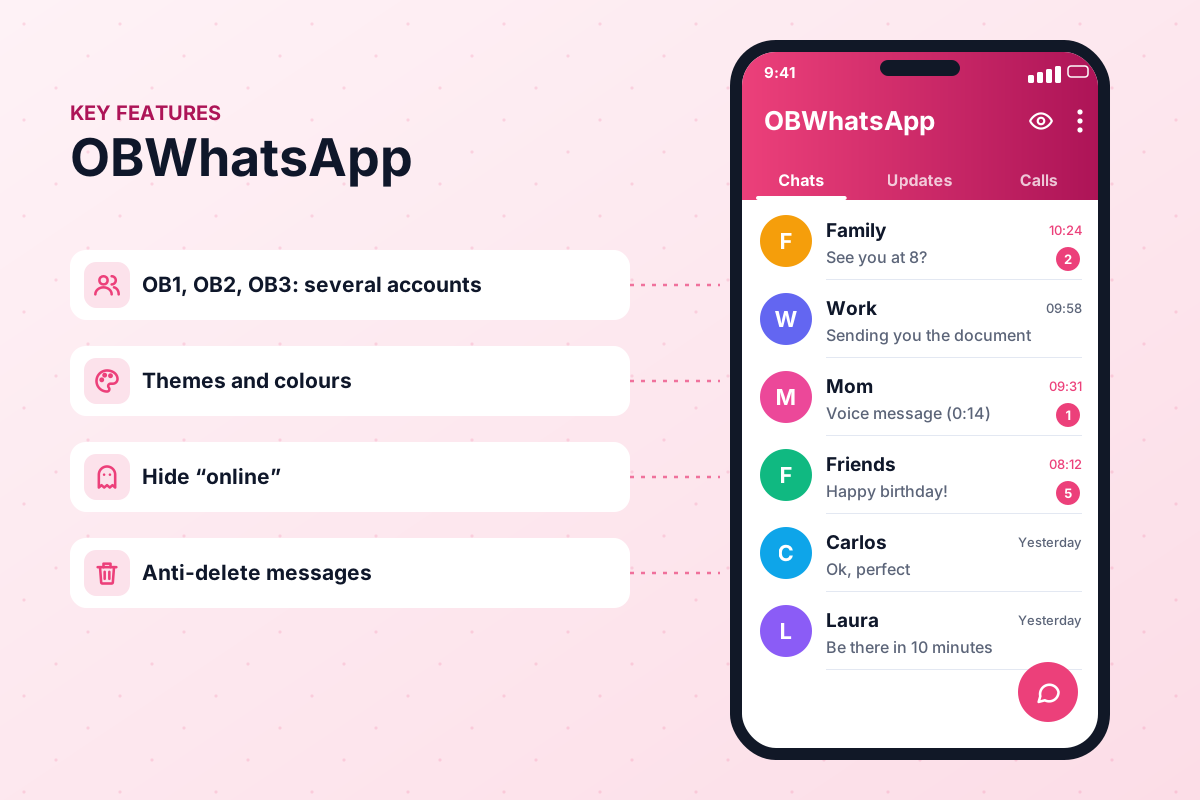
If you have friends or family in the Middle East or North Africa, there is a good chance someone has recommended "WhatsApp Omar" to you. In Arabic it is searched as واتساب عمر, and many users know it for its blue and pink versions and the ability to use two or three WhatsApp numbers at once without cloning apps. This page explains the numbering, the colours, the features and how to install it with fewer risks.

APK file for Android · Free · No sign-up
App information| Name | OBWhatsApp (Omar) |
|---|---|
| Status | Active |
| Version | 71 |
| Requires Android | 5.0+ |
| Developer | Omar Al-Annabi |
| Updated | |
| License | Free |
| Category | Communication (mod) |
| Package | com.obwhatsapp |
What is WhatsApp Omar (OBWhatsApp)?
WhatsApp Omar is an unofficial modified WhatsApp for Android, developed by the Arab modder Omar Al-Annabi (عمر العنابي). "OB" in OBWhatsApp is simply the short brand of his builds. The developer listed in our specs is Omar Al-Annabi. Like other mods, it keeps the normal WhatsApp experience and adds an extra menu for privacy, appearance and media options.
The app has a strong following in Arabic-speaking countries because it was one of the first mods with a well-translated Arabic interface and builds designed for multiple accounts. It is still actively updated in 2026: when our team checked Omar Al-Annabi's Telegram channel (t.me/s/Whatsapp_OB) in September 2026, version 71 was the latest release. Updates can be less frequent than those of some global mods, so always compare the version number before you install.
WhatsApp Omar is not affiliated with WhatsApp LLC or Meta and is not on Google Play. Using it breaks WhatsApp's terms and can lead to a temporary or permanent ban. Download only from a trusted source, scan the APK, back up your chats and consider a secondary number. See our safety guide.
OB1, OB2, OB3: what the numbers mean
One of the most confusing things for newcomers is the numbering. OBWhatsApp is released in several builds, often named OB1WhatsApp, OB2WhatsApp, OB3WhatsApp and so on. They are essentially the same app, but each one uses a different package name. Android treats them as separate apps, so you can install them side by side.
- OB1: usually the main build, often used for your primary mod account.
- OB2: a second copy with its own package name for a second number.
- OB3 and higher: further copies for additional numbers, where available.
- Each build needs its own phone number; one number can only be active in one app at a time.
This approach is similar to dual-account options in GBWhatsApp. Keep in mind that running several mod accounts on one phone increases the chance of drawing attention from WhatsApp's systems, and each number carries its own ban risk.
WhatsApp Omar colours: blue, pink and more
In the Arabic market you will see names like واتساب عمر الازرق (blue Omar WhatsApp) and واتساب عمر الوردي (pink Omar WhatsApp), and sometimes gold or other colours. These are colour variants of the same mod: the default theme colour of the header, icons and accents changes, while the features stay the same.
You do not necessarily need a separate download for each colour. Most builds let you change colours from the settings menu, and you can apply full themes too. If you are specifically interested in colour versions, our WhatsApp Plus colours guide explains how colour variants work across mods.
WhatsApp Omar features
Install OB1, OB2 and more side by side for different numbers.
Use the app without appearing online.
Read messages without the sender being notified immediately.
Keep messages and statuses deleted by others.
Blue, pink and other colour variants, plus theme support.
Well-translated Arabic menus alongside English and other languages.
Send longer videos and bigger documents.
Protect the app with a password or fingerprint.
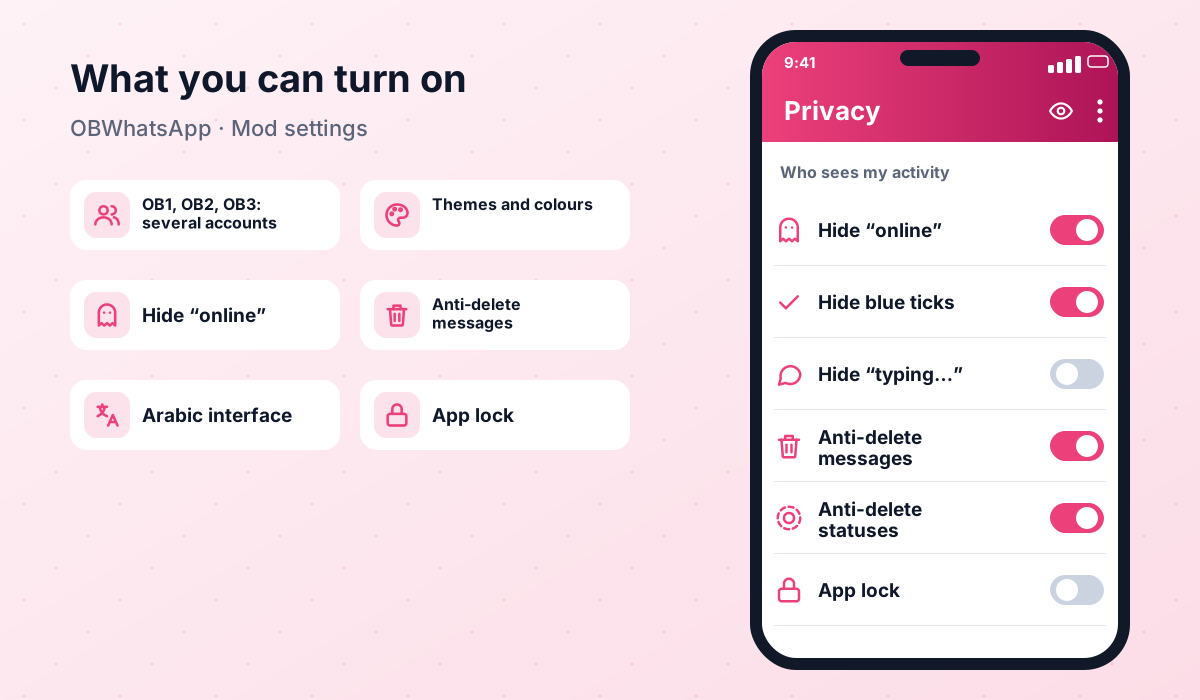
Feature availability varies between builds and versions. Older OB releases may lack newer options such as status download or message scheduling that appear in more recent mods.
How to install WhatsApp Omar
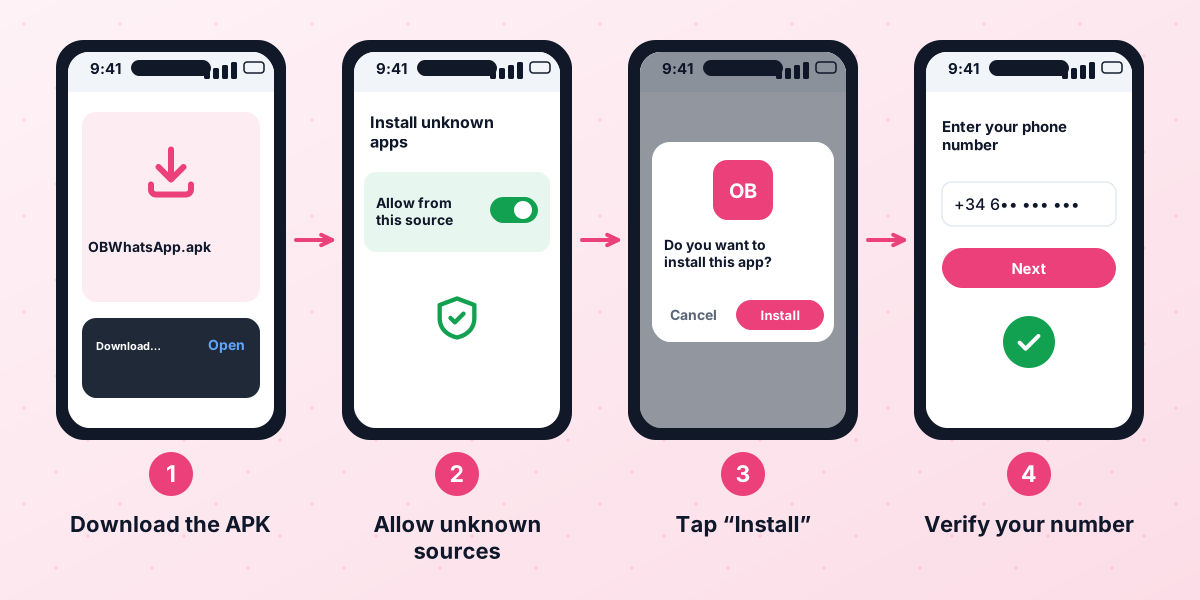
You need Android 5.0+ or newer, enough free storage for each build plus room for your chats and media, and a phone number for each account.
- 1Back up your chats
In your current WhatsApp, go to Settings → Chats → Chat backup and make a local backup. See our backup guide.
- 2Download OBWhatsApp
Get WhatsApp Omar 71 from our download page. Choose the build number you need (OB1 for your first account).
- 3Scan the file
Check the APK with an online malware scanner and make sure the version matches the latest release, 71.
- 4Allow unknown sources
Open the APK and allow installs from your browser or file manager when Android asks.
- 5Install and verify
Tap Install, open the app, enter your number and type the verification code.
- 6Restore and customise
Restore your backup if prompted, then choose your colour, theme and privacy options.
- 7Add another account (optional)
Repeat the process with OB2 and a different phone number if you need a second account.
How to update WhatsApp Omar
Make a fresh local backup, download the latest build from the download page and install it over the existing app with the same build number (OB1 over OB1, OB2 over OB2). Installing a different number creates a new app instead of updating. If WhatsApp shows an outdated version warning and no new OB build exists yet, consider moving temporarily to a more frequently updated mod or the official app.
WhatsApp Omar old versions
Earlier OBWhatsApp releases are listed below for reference. Older bases eventually stop working when WhatsApp raises its minimum version, so use them only as a short-term fix if the latest build misbehaves on your phone.
| Version | Date | Size | Download |
|---|---|---|---|
| OBWhatsApp (Omar) 71 Updated | October 2, 2026 | — | APK |
Pros and cons of OBWhatsApp
- Numbered builds make multiple accounts on one phone simple.
- Excellent Arabic translation and right-to-left layout.
- Popular blue and pink colour variants.
- Core privacy features such as hiding online status and blue ticks.
- Anti-delete for messages and statuses.
- Unofficial app with a real risk of temporary or permanent bans.
- Updates can be less frequent than global mods.
- Not on Google Play; updates must be installed manually.
- Fake copies circulate under the same name.
- Several mod accounts on one device may attract more attention.
Is WhatsApp Omar safe?
WhatsApp Omar has the same risks as every mod: possible bans, fake APKs and no independent code audit. Because OB builds are sometimes updated less often, there can also be periods when the base is older than WhatsApp prefers, which may increase the chance of problems.
- Download from a trusted source and scan the APK.
- Keep local backups for every account you use.
- Use secondary numbers for extra OB builds.
- Update as soon as a new build is released.
- Move back to the official app if you receive a ban warning.
WhatsApp Omar FAQ
Who is the developer of WhatsApp Omar?
What is the difference between OB1 and OB2?
Is the blue WhatsApp Omar different from the pink one?
Can I use WhatsApp Omar with the official WhatsApp?
Can WhatsApp Omar get my number banned?
Does WhatsApp Omar support Arabic?
How do I move my chats to WhatsApp Omar?
Related mods
 WhatsApp PlusActive v18.80The complete guide to WhatsApp Plus APK: latest version download, features, installation, updates, safety, backups and fixes for common problems.View and download →
 GBWhatsAppActive v18.80Everything about GB WhatsApp Pro: latest APK download, features, colour versions, installation, updates, safety, backups and troubleshooting.View and download →
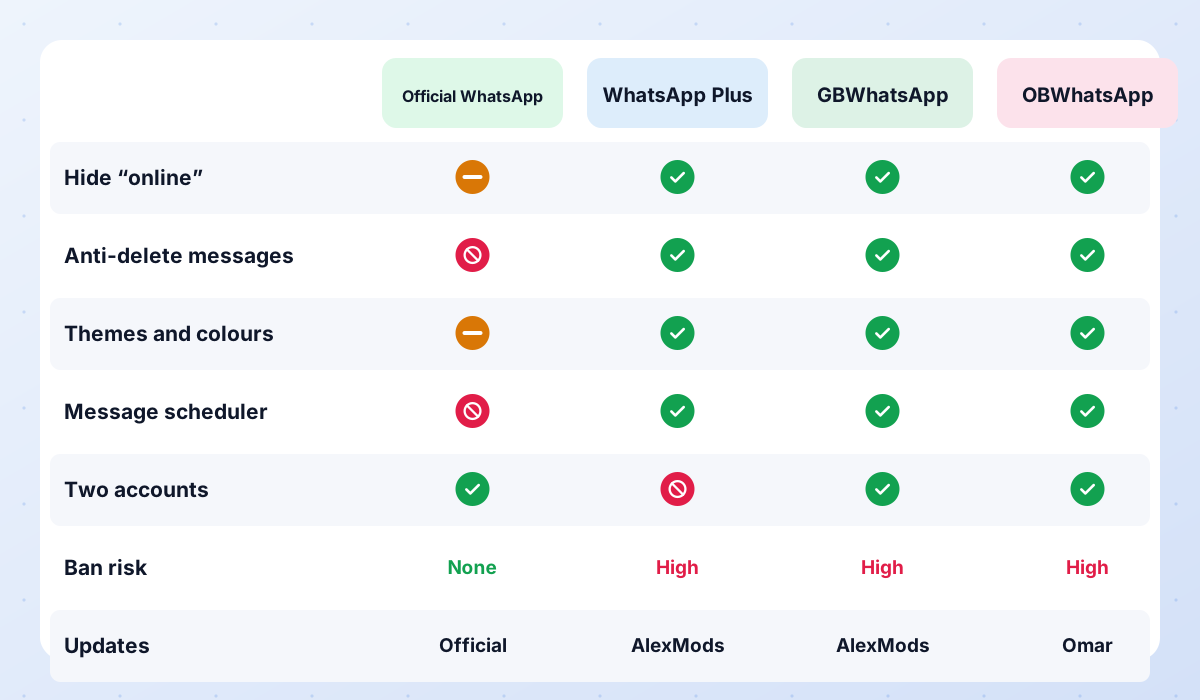 Compare ModsWhatsApp Plus vs GBWhatsApp vs OBWhatsApp side by side, a recommendation for each type of user, and the status of discontinued mods.Read guide →
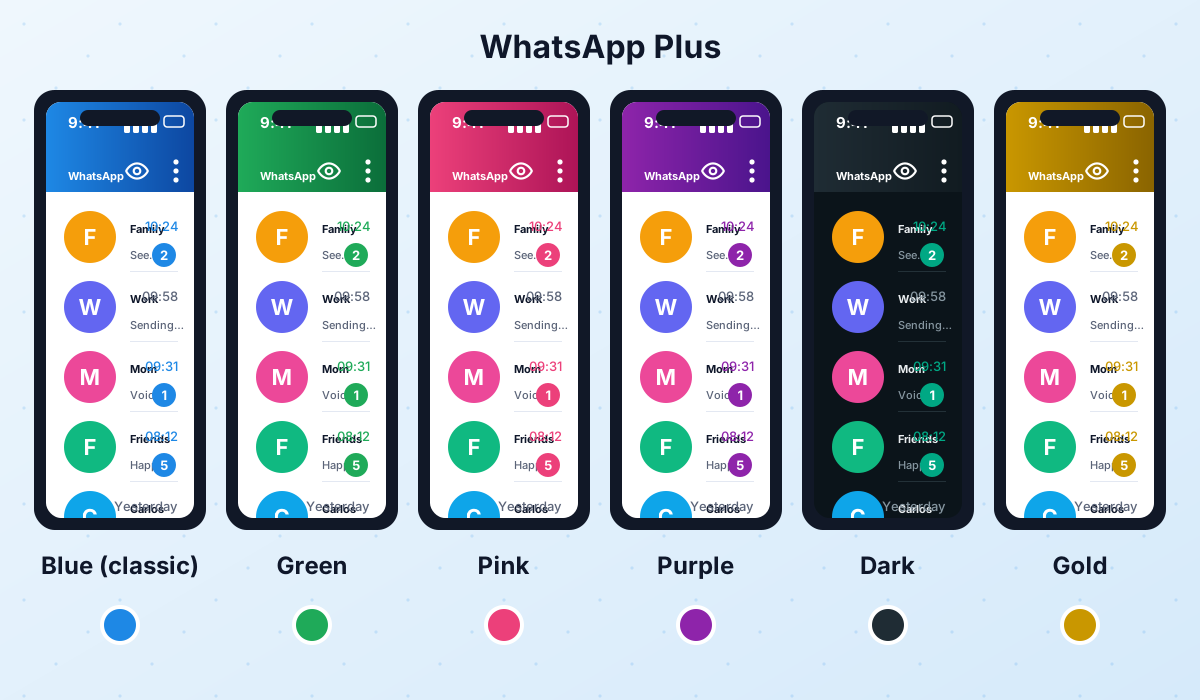 WhatsApp Plus ColorsThe blue classic, green, pink, purple, dark and gold versions of WhatsApp Plus explained, plus how to change colors from Plus settings.Read guide →
 AB WhatsApp (Abu Arab)Discontinued v13.30AB WhatsApp (Abu Arab) is inactive: no updates since v13.30 in January 2026. Status, WhatsApp Gold warnings and active alternatives.View and download →
 WhatsApp Plus Abo2sadamPaidWhatsApp Plus Abo2sadam is now paid and no longer free. Why cracked copies are risky and which free, active mods to use instead.View and download →
Our verdict
WhatsApp Omar remains a favourite in the Arabic-speaking world thanks to its clear Arabic interface, its colour variants and its numbered builds for multiple accounts. It is a practical choice if you need two or three numbers on one phone, but it is still an unofficial app with a real ban risk. Back up first, use secondary numbers for extra builds and keep it updated. Other Arabic mods have not fared as well: AB WhatsApp has been inactive since January 2026 and WhatsApp Plus Abo2sadam is now a paid subscription, which makes OBWhatsApp one of the few Arabic-focused mods still maintained for free.
APK file for Android · Free · No sign-up
Updated: · By WasaPlus editorial team